Unlocking trackball possibilities and naming animals
The Ergo

Hi *|FNAME|*,

This month we added some advanced options for the Navigator trackball in Oryx that unlock a bunch of new printables; details below. We also made it possible to save your own custom text on typ.ing, which is now at over 70,000 training sessions a month (thank you for using it!). Speaking of typ.ing, here are last month's typ.ing Daily Challenge top three users:

  • Tim Holingson, with 96wpm at 99% accuracy across all 28 challenges;
  • worg, with 111wpm and also 99% accuracy, across 26 challenges;
  • matthews, with 132wpm and 97% accuracy, across 23 challenges.

I was thinking of maybe creating a mode in typ.ing where you type your way through public-domain books, start to finish. Is that something you might enjoy? What would it look like? Would love to hear your ideas on that, please reply and let's chat.

Out of this month's links, the one that was most useful for me is the board game review aggregator, but I also spent quite a long time "testing" Aeris. Something about the information density there is just so nice.

As always, thanks so much for reading, and I love hearing back from you! Just reply with any thoughts or feedback.

All the best,
Erez

Advanced Trackball Settings

Advanced Trackball Settings

Adjust orientation and specify Aim/Turbo layers

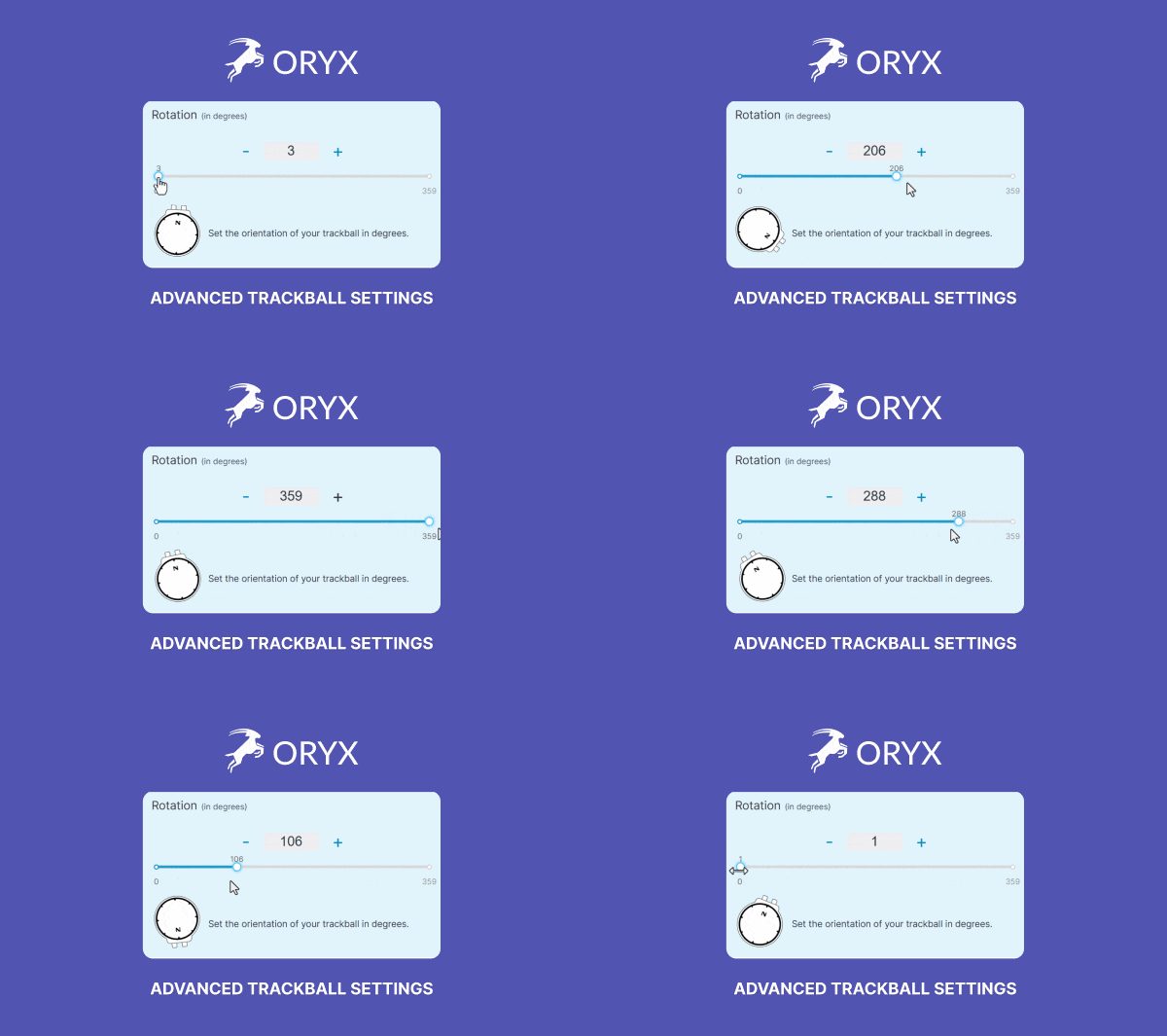
We're focused on keeping the Navigator's status as one of the best "attached trackballs" in the world, and this month we gave it some more oomph. You can now adjust its orientation in single-degree increments, which unlocks interesting options for 3D printing custom housings. You can also designate certain layers as Aim/Turbo layers, and control the Aim/Turbo speeds. So much power.

Advanced Trackball Settings
 
Custom Text in Typ.ing

Custom Text in Typ.ing

Create your own library

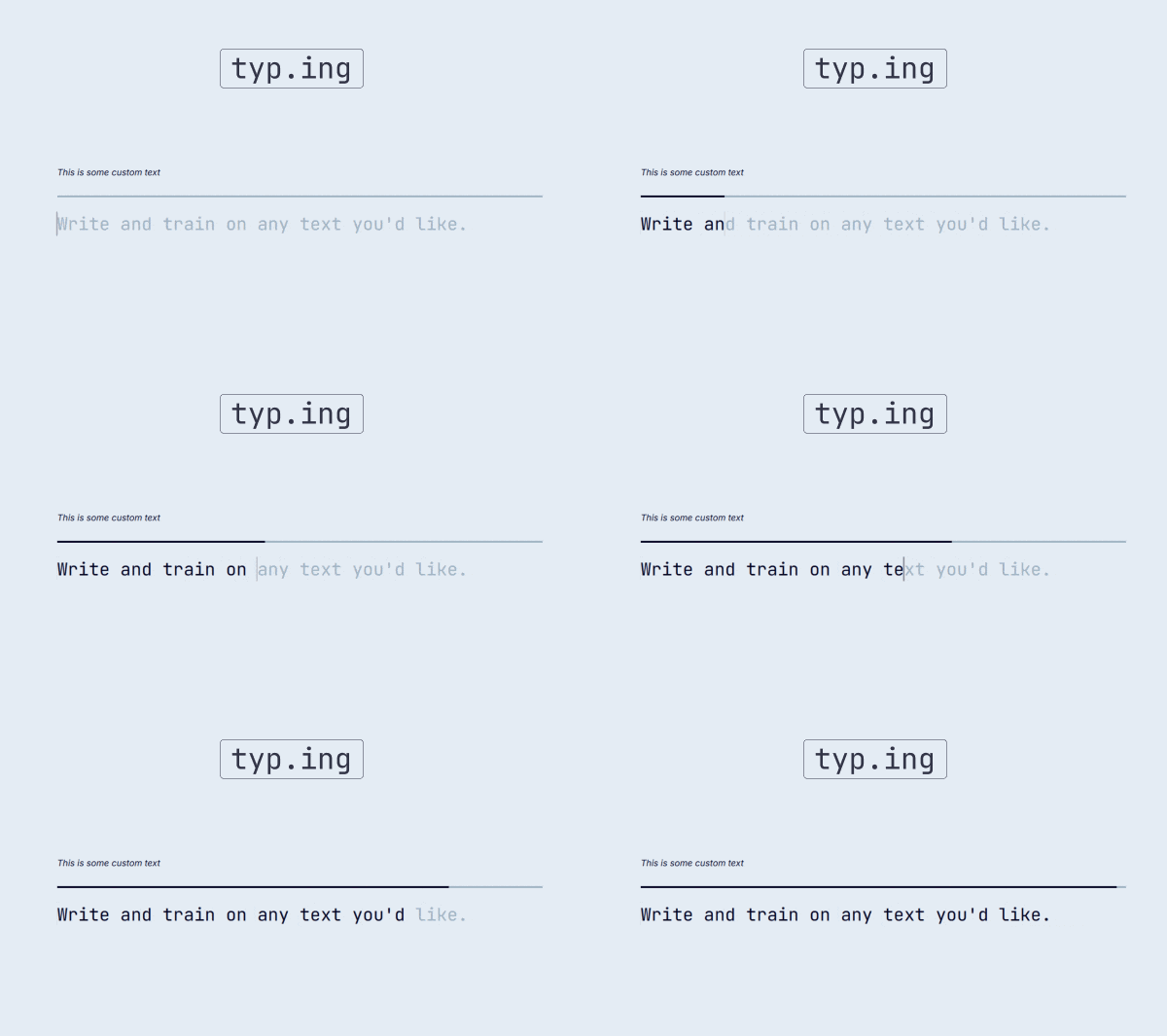
If there are particular texts you want to train on again and again, typ.ing's Custom Text mode now lets you save them to your account. They will persist across machines and sessions, so you can always come back to those texts and benchmark your typing improvement over time, or simply be inspired/motivated by a text that speaks to you.

Custom Text in Typ.ing
 

Featured User Interview

David Graham

General Counsel
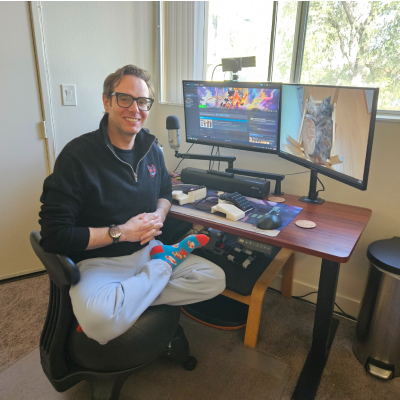
David is general counsel and business development lead for company that specializes in esports—and he’s also an esports commentator (known as UltraDavid). David shares his versatile setup, typing stories about him and his grandpa, and thoughts on the importance of dreaming. Check out the photos of the game controller he made!
"When I opened my own legal practice in 2011, I took on clients in the worlds I knew, and what I knew most was the world of video gaming."
 
Layout of the month

Halmak-m-39 (Voyager)

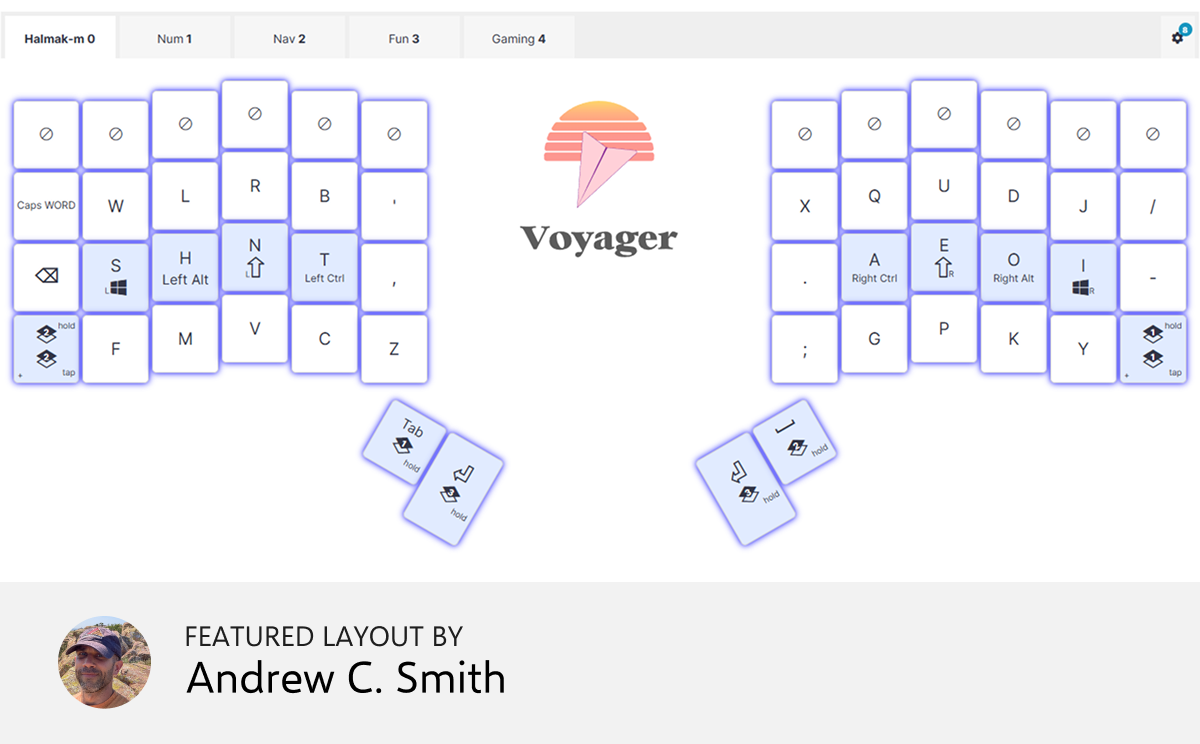
The alpha layout is based on Halmak, but modified for a column-staggered keyboard. All keys are within one position away from home position. This layout makes use of home row mods and has dedicated layers for (1) numbers/special characters; (2) navigation, including mouse movement and mouse buttons; (3) FN keys and macros for characters without keycodes; and (4) PC gaming


Things we liked

What is old is new again

So apparently Walkman players are a thing now (again)? As someone focused on creating keyboards that should last decades, this feels encouraging. I recommend browsing this one on a desktop machine; it’s a painstakingly created catalog of many, many different personal tape players (not just Sony Walkman brand, though there are plenty of those). I had no idea Yamaha made a cassette player in 1985, but they did, and apparently it even had a nickname: Cocky. The more you know…

 
Hundreds of reviewers, one leaderboard

This is a review aggregator for board games. If you enjoy a good board game now and then, it’s incredible. It takes a whole bunch of reviewers and extracts their “Top games of the year” reviews, ranking the games. You can browse by game or by reviewer, filter down to just two—player games, and more. Then in the game page you can see the different reviewers and how they ranked the game, and immediately click into their YouTube review of the game to see what they had to say about it. I found a very interesting title from Reiner Knizia thanks to this site (Iliad).

 
cat, dog, cow... okay now you

This is great for a car ride or for a party game. You basically just come up with animals, but it actually gives you feedback along the way (and quickly, too, doesn’t send what you say to AI). For an animal to count it needs to have a Wikipedia article. Great to do with a kid, too, and it involves typing (or shouting animal names at your phone, which is its own kind of fun).

 
So many airplanes

This is a realtime map showing airplane traffic around any airport. It’s in 3D and the planes are color-coded by altitude, and you can see their heading and speed in the form of a trail. Clicking a plane pops open its flight details, including its altitude, heading, speed, etc. It also makes its tail much longer, so you can visualize where it came from. I recommend using this with a large screen.

 
Evolution in your browser

In this fun little simulation, hundreds of organisms will be duking it out in your browser. They can have various traits (”Armored”, “Infected”, “Spiked” and so on), and the world can have various conditions (drought, seasons, etc). There are also niches such as marshes, plains, etc. And you just sit there and watch as life unfolds, monitoring this ecosystem’s various traits. You can also click a single creature to get its stats. Nicely done, and great on a computer.

 
Tip: We have a subscriber-only link archive with all of the links we shared over the years. Just for you. ❤️
contentText buttonText buttonCTASrc
Get wallpaper

Wallpaper of the month

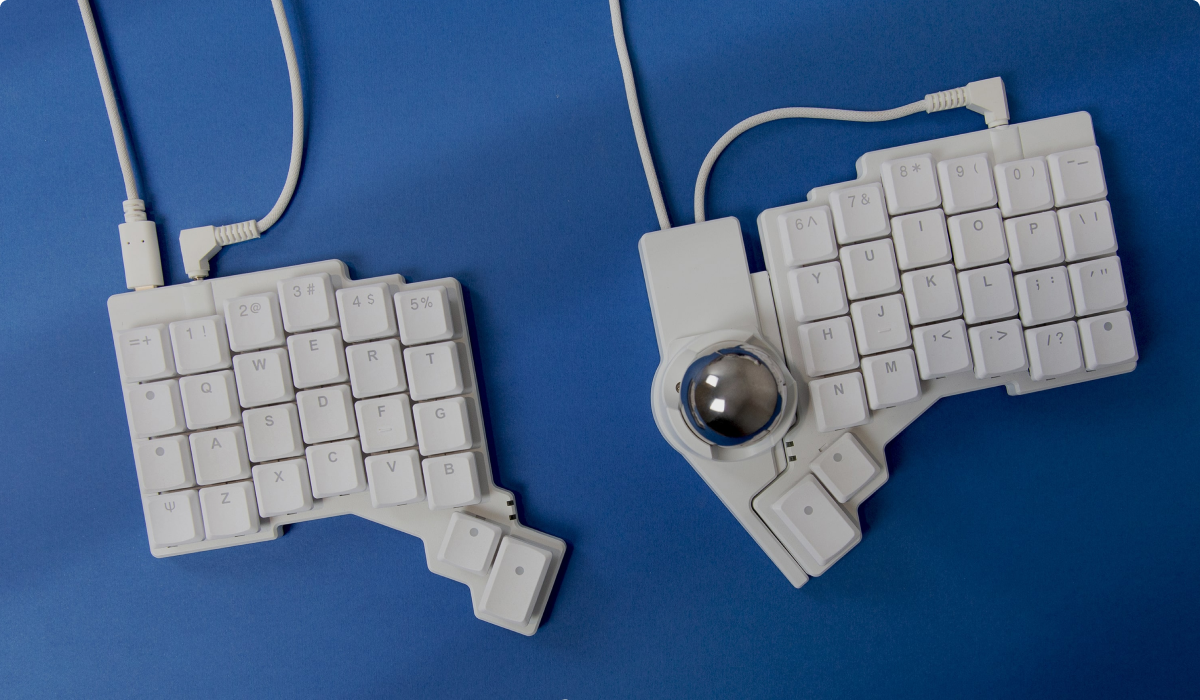
This is one of a series of beauty shots Jo created for the Voyager. It shows the Navigator but with a metal ball instead of the one that comes with it. Such a fun look.

Thank you for reading!

Thank you for reading!

Art by Ben Calo

© , ZSA Technology Labs Inc.
250 University Avenue, Suite #200, Toronto, ON, M5H 3E5